Start with the item type whose details you understand well enough to compare. Write down the photos, measurements, and weight clues you need; then keep only Kaybuy spreadsheet rows that help answer those questions.
Why categories matter
The product type changes what you need to check. A top-down photo may help with a watch dial but tells you little about shoe shape. Chest width matters for a hoodie and not for jewelry. A photo or measurement that helps with one category may be useless for another.
Categories also keep price comparisons fair. Compare jackets with jackets of similar construction, not with lightweight shirts. Compare a structured bag with items of similar size, not with a small pouch.
Browse Kaybuy spreadsheet categories
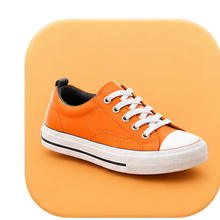 Footwear
Shoes
Check side and rear profiles, sole construction, close-ups, insole length, box or packing notes, and likely weight.
Open shoes on Findsindex ↗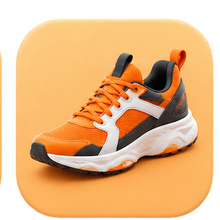 Footwear
Sneakers
Compare toe shape, panel alignment, stitching, outsole, size guidance, and whether the row shows more than one polished angle.
Open sneakers on Findsindex ↗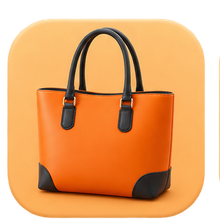 Carry
CarryBags
Look for width, height, depth, interior views, handle joins, closures, included pieces, and bulky packaging.
Open bags on Findsindex ↗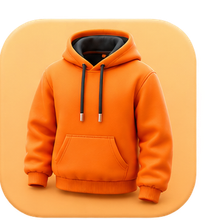 Clothing
Hoodies
Useful rows surface chest width, body length, sleeve length, fabric clues, hem details, and garment weight.
Open hoodies on Findsindex ↗ Clothing
Shirts
Compare chest, shoulder, and length measurements, fabric drape, collar and cuff construction, and care notes.
Open shirts on Findsindex ↗ Outerwear
Jackets
Check shoulder width, lining, closures, insulation or thickness, construction details, and packed bulk.
Open jackets on Findsindex ↗ Bottoms
Pants
Waist method, rise, inseam, thigh width, leg opening, material, and measurement tolerance matter more than a size label alone.
Open pants on Findsindex ↗ Accessories
Watches
Inspect dial, hands, markers, case edges, crown, clasp, caseback, dimensions, and movement description.
Open watches on Findsindex ↗ Accessories
Jewelry
Check scale, chain or clasp construction, finish, stated material, measurements, and what is included.
Open jewelry on Findsindex ↗ Small goods
Accessories
Use close-ups and dimensions to judge belts, eyewear, hats, scarves, and other pieces that can be hard to scale from one image.
Open accessories on Findsindex ↗ Devices
Electronics
Confirm specifications, compatibility, plug or connector type, included accessories, condition, and support expectations.
Open electronics on Findsindex ↗Every category link above opens a global Findsindex category in a new tab. Kaybuy.org does not sell or verify the listed items.
Which category should you start with?
Choose the category where you can name a meaningful comparison, not simply the one with the most rows. If fit is your main concern, start with a garment and gather complete measurements. If visual construction matters, start where QC photos can show the relevant angles. If shipping cost is likely to change the decision, choose a category whose packed size and weight can be estimated more sensibly.
Common category searches include Kaybuy shoes, Kaybuy sneakers, Kaybuy hoodies, Kaybuy jackets, Kaybuy bags, Kaybuy pants, Kaybuy watches, Kaybuy jewelry, Kaybuy electronics, and Kaybuy accessories. Each phrase should open a focused comparison group rather than a mixed list.
If you cannot write a two-line “what I need to check” note, browse the general checklist before opening external pages.
Check the biggest risk first
Start with the detail most likely to make you reject the item.
Start with how measurements were taken, the exact selected size, and the tolerance you can accept. Appearance comes after measurements you can use.
Start with close-ups, edges, joins, hardware, finish, interior or back views, and actual scale.
Start with model, connector, voltage or regional compatibility, included components, and condition. A similar appearance is not enough.
| If the row is missing… | Treat it as… | Next step |
|---|---|---|
| A required measurement | Unknown, not automatically bad | Look for a chart or photo tied to the exact option. |
| A category-specific view | Incomplete | Request or locate the missing angle before comparing. |
| Basic compatibility detail | A stop condition | Do not infer compatibility from the title or image. |
Mistakes to avoid
- Comparing prices across unrelated product types or constructions.
- Treating one attractive image as a complete product check.
- Using a generic size label without measurements or a reliable chart.
- Ignoring packaging and weight for shoes, jackets, bags, or electronics.
- Assuming a source name or converter result verifies the listing.
- Saving a row because of hype when its category information is vague.
Some users search by brand or model, but category-first browsing is cleaner and safer. Start with shoes, bags, watches, jackets, hoodies, or accessories, then inspect the external product details yourself.
Checklist before opening external pages
- Choose one category and a small comparison group.
- Name the two or three details the photos must show.
- Decide which measurement or size information you need.
- Note whether weight or packing could alter the value.
- Open only rows whose labels and links appear relevant.
